 Dandori
For anyone shooting short-form video or vlogs
You still don't know
what to shoot.
You've got an editing app. You're ready to shoot.
But you freeze before you even raise the camera.
Making a video is 80% prep.
Dandori is an AI shoot navigator for short-form video and vlogs. It builds your video's structure and hands you a shot-by-shot shooting order.
Sound familiar?
-
"I shot a bunch of clips,
and not one of them was usable." -
"I want to copy a video that went viral,
but I can't tell what order they shot it in." -
"My clips are scattered across my camera roll
and I can't tell which is which anymore."
It's not that you can't edit.
You just haven't decided anything before you shoot.
Clips shot on a whim, scattered with no order and no reason.
What to shoot, in what order, for how many seconds — all decided before you start.
Everything's decided before you shoot.
Pick a genre. AI builds the outline.
Café work, weekend vlog, review — just pick your genre. AI builds everything from your first-3-second hook to the overall flow. You can add your own requests too, like "keep it calm" or "start with the shop's exterior."
Your shot list is ready. Just shoot in order.
The outline becomes your shooting checklist. Which shot, what to capture, how many seconds — check them off one by one and you'll have every clip you need. Footage links straight to its shot, so nothing gets lost in your camera roll.
Clips fall into place. Just export.
Once you're done shooting, your clips are already lined up in order — with AI-written captions already in place. Trim the extra seconds, tweak the text, and export it as one finished video.
One step before the editing app.
Dandori doesn't replace your editing app.
It solves the problem of not having the right footage in the first place.
This is for you if
RECOMMENDED- You want to shoot, but don't know where to start
- You often realize afterward that you're missing footage
- You want to finish just one video, start to end
Not for you if
- You already know exactly what you're going to shoot
- You want elaborate transitions and effects
- You want serious multi-track editing
[ APP SHOWCASE ]
A personal AI cinema studio in your pocket.
From concept planning to field shooting guides and your completed film library.
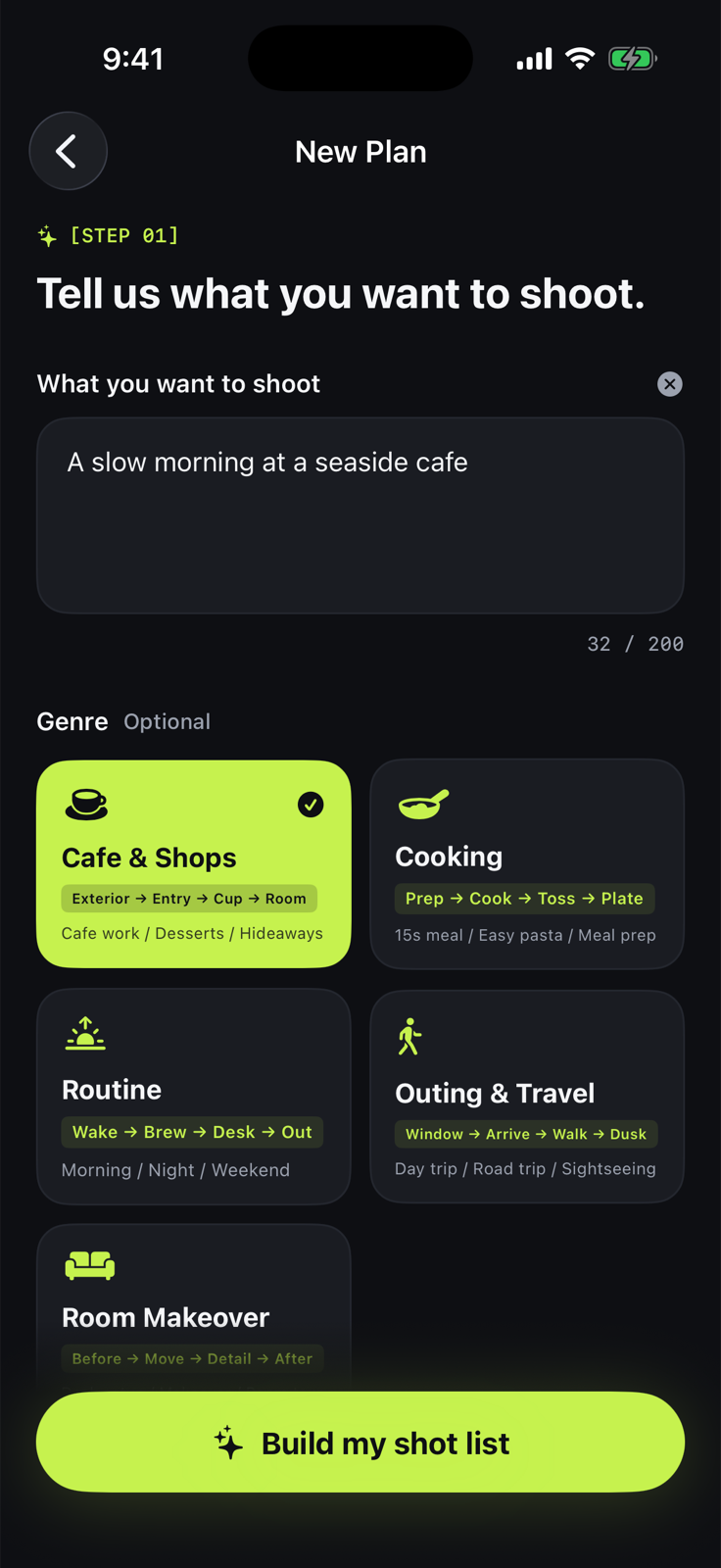
Instant AI shot list creation
Enter a 1-line concept like 'Cafe Vlog' and AI instantly generates a 4–5 shot plan with timing & framing.
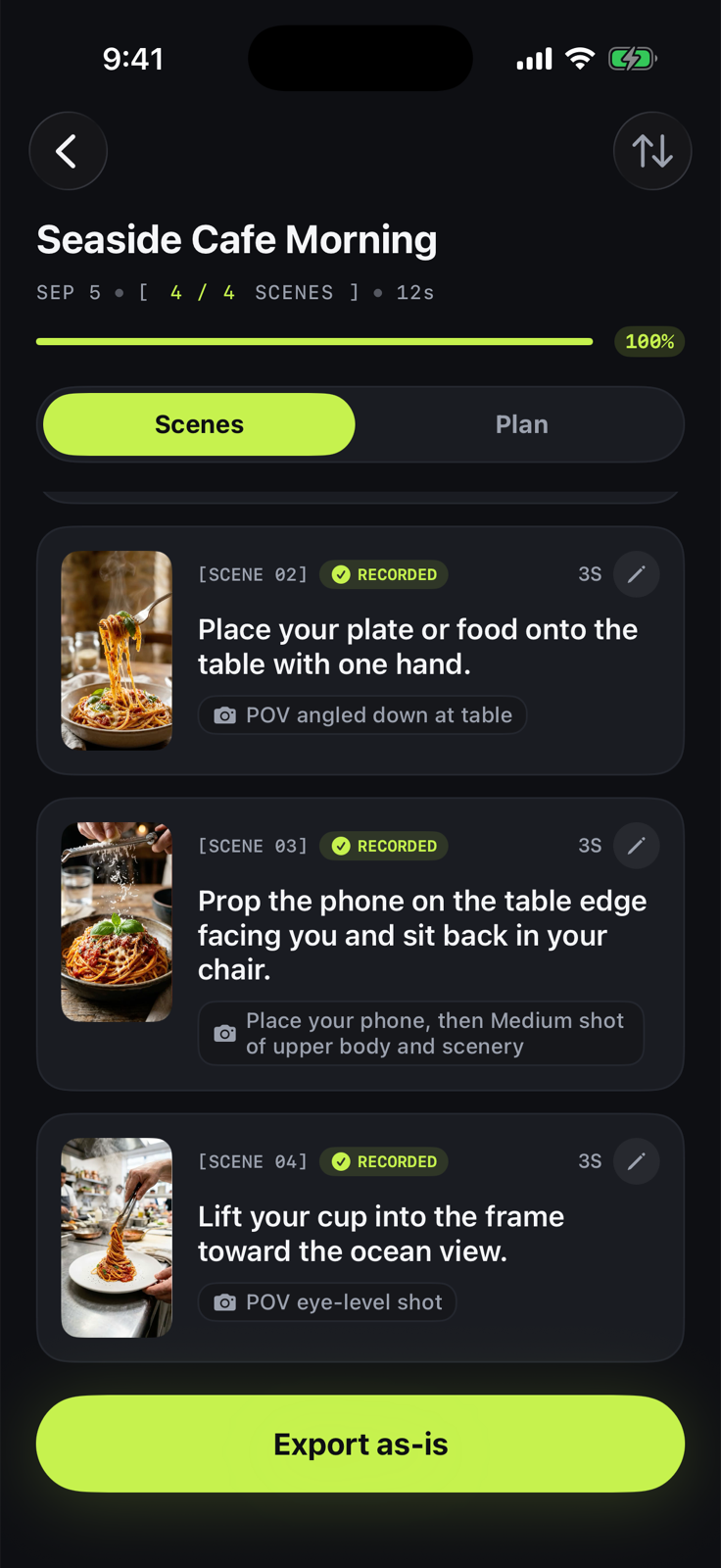
Zero-confusion field guide
Step-by-step guidance on location for what, how long, and which angle to capture next.
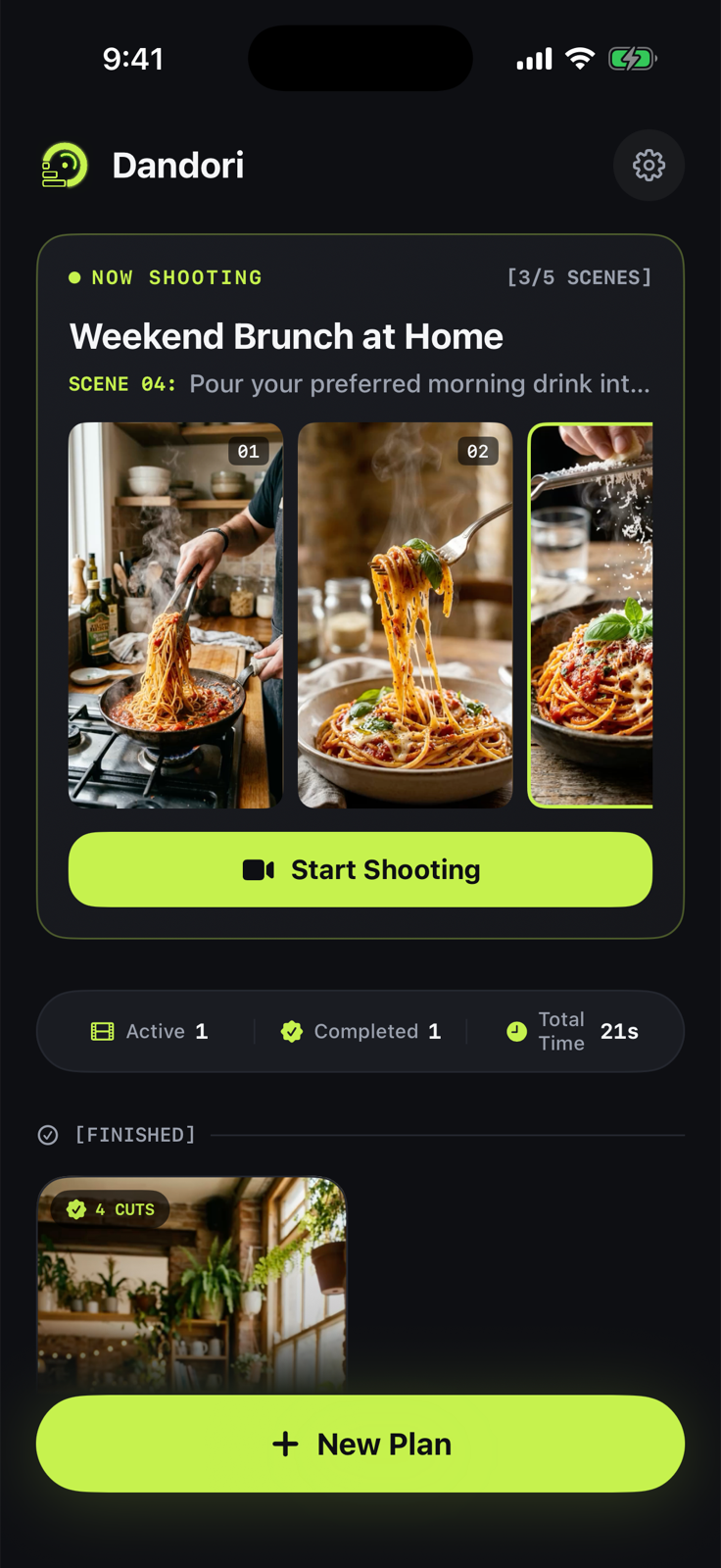
Your personal film library
Captured clips light up and assemble into a finished film on your shelf. Pure satisfaction.
FAQ
Answers, before you ask.
Do I need video editing experience?
No. Just shoot in the order the AI shot list gives you — your clips line up automatically, with captions already in place. All that's left is trimming the parts you don't want.
Is my footage ever sent to a server?
Never. Editing and exporting both happen entirely on your device. The only thing sent to the AI is the genre you picked and the text of your requests. See the Privacy Policy for details.
What kind of videos is this for?
Short-form social video in general — café work sessions, weekend vlogs, product reviews. Pick a genre, add a note about the shots you want, and you get a structure.
Does this replace CapCut and other editors?
No. Dandori solves the part before you shoot. If you want elaborate transitions or background music, export from Dandori and finish in your editing app. It's built to be used alongside them.
Is it free?
The core features are free to try. A paid plan that removes the generation limit is planned. Pricing will be shown in the app at launch.
Is there an Android version?
The first release is iOS only. There's no timeline for Android yet.
Stop freezing over
what to shoot.
Dandori — AI Shoot Navigator
Now on the App Store